Modular RGB Chessboard
Status: on hold
Progress: 20%
Build Log
FYI
this project I did not document the building process so I am going back much later to build this log.
this in its self is V3 of my attempts at making a chessboard type of project. The other 2 attempts i don't really have and want to go back and document so just know the first 2 didn't end up working correctly due to hardware issues in the PCB's.
The idea
This Project is a modular 8X8 grid of squares with a magnetic sensor to detect pieces being moved, I designed a PCB that would talk i2c back to a Raspberry Pi 4 running the chess engine and the communications. each PCB had 4 LEDS on them to light up so it can provide visual clues to people who dont really know how to play.
Unforantly V3 teachinaly works, its just a major pain to reload the programming on the microcontroler thats on the PCB. This was too annoying for me and i lost my interest in making this project. Also I spent wayyyyy too much money on parts that did not end up working how I wanted it, so I moved on to new and more exciting project
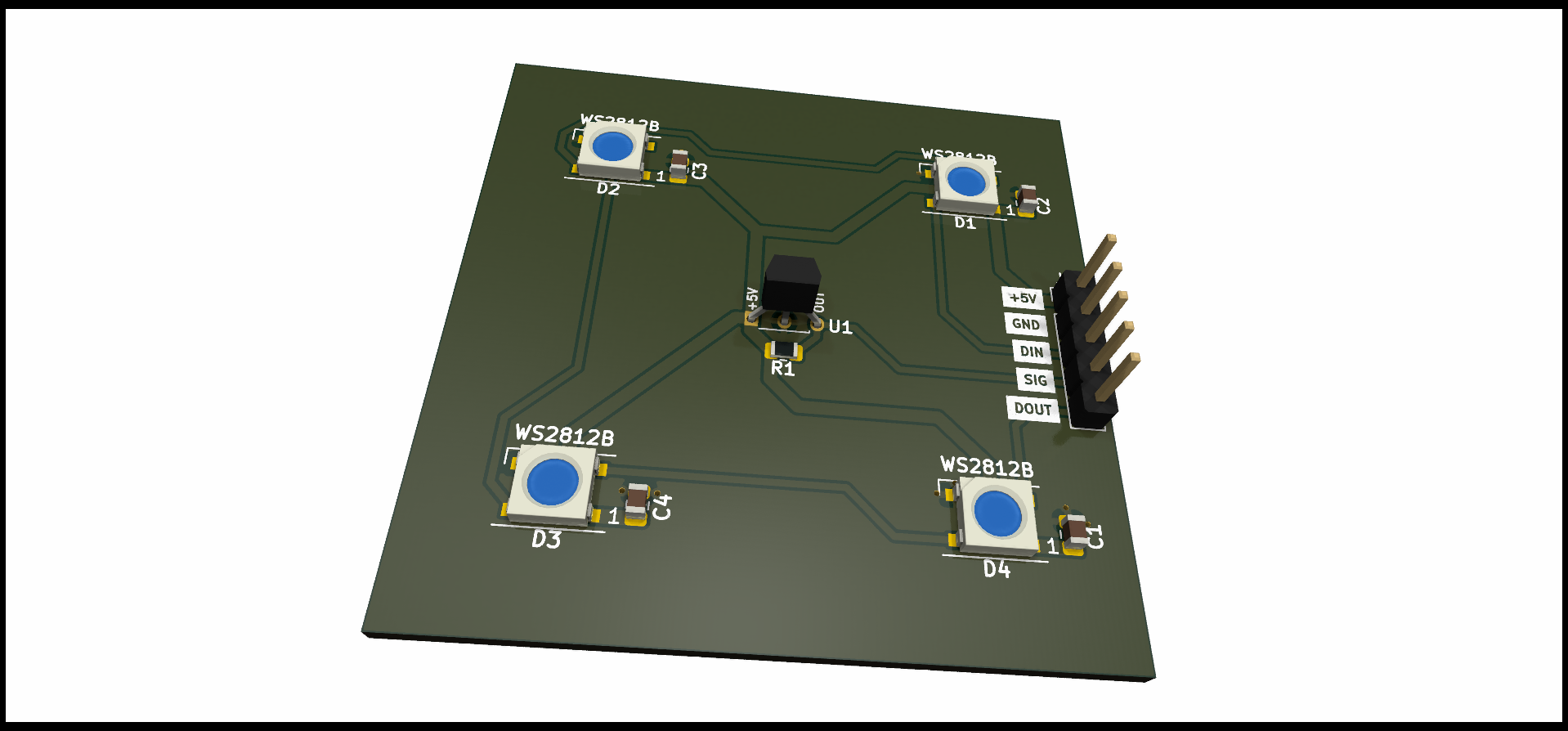
here we have the render of the PCB I made
Blockers
I managed to get pretty far, I spent many hours hand assembling and soldering all the componets on each PCB, in V4 (if i get inspired again) I will defiantly find a better way to do this, I will most likely have the PCB fab assemble them.
the coding part is not my strongest, I like the engineering more, i find it easier and more enjoyable to do this than trace down bugs. when building this AI was not a big thing yet, going forward I will use it to improve my coding.
the sensors them self would also give false readings ever now and then that would throw off the code, maybe that could be solved in code or maybe hardware.
Lessons
The project it self might have been a failure, but I dont look at it that way. This was one of the first few projects where I would design my own PCB, I taught my self an entire new field and managed to get a functional product at the end. It was far from perfect but I learned the hard way, how I should better design my PCB's for my next projects.
around this time I also started to look into other CAD programs, at the time I was using TinkerCAD. This web based CAD software is fantastic, it was simple enough for anyone to understand but also powerful and allowed me to do what I needed. However, my skills and projects have reached a complexly that they could not scale with, so I was looking into Fusion360.